A Rust kernel
The kernel manages memory, schedules work and controls access to devices. It establishes the boundaries between the machine and its applications.
Hardware & process isolationAn independent desktop operating system
A Rust foundation. A JavaScript interface. CasementOS brings them together in a desktop operating system built from the ground up.
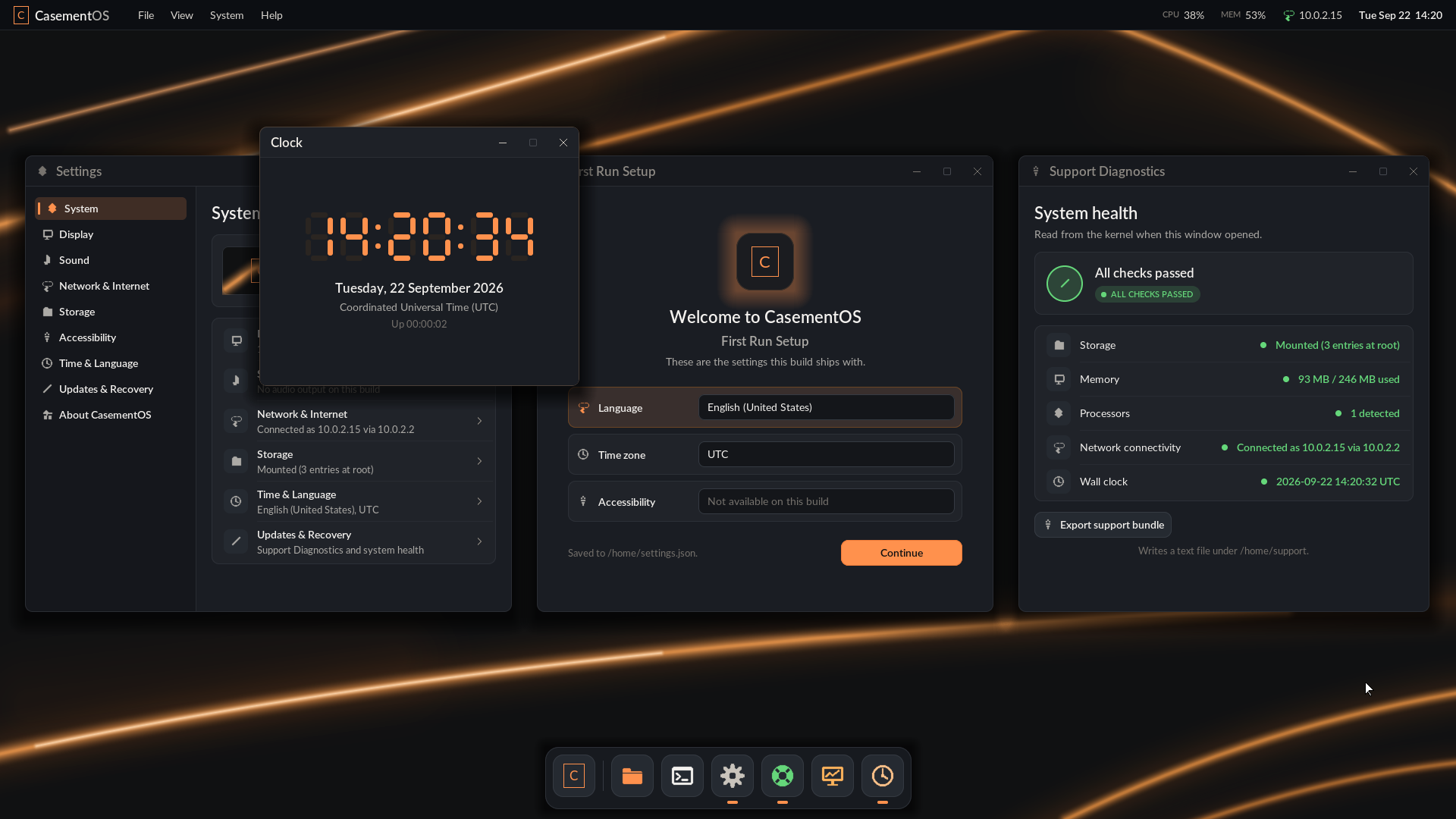
This capture shows the system running in a virtual machine. Physical bring-up has begun on two test machines, but it is not hardware qualification. View full resolution
Built as one system
CasementOS runs its own kernel and desktop. JavaScript powers the interface directly, with no Linux, Node.js or browser underneath.
The kernel manages memory, schedules work and controls access to devices. It establishes the boundaries between the machine and its applications.
Hardware & process isolationQuickJS-ng runs JavaScript inside protected processes. Applications use explicitly granted capabilities to communicate with the system.
JavaScript in userspaceA custom React renderer describes the interface. A native rasterizer draws its windows, text and controls directly to the display framebuffer.
UI without a browserDevelopment status
Progress is measured in running code and repeatable tests. Emulator results and physical hardware results are tracked separately.
Working in QEMU
/home, with a Files text editorThese are development capabilities, not a claim of complete hardware or application support.
Underway
Physical results are early and partly unfiled. No hardware is qualified or supported.
Ahead
There is no public installer or announced release date.
Last updated
Development journal
Small milestones, what we learned, and what comes next.
CasementOS now boots into its own desktop in QEMU, with a System UI shell and Clock running in separate protected processes. Files and settings persist, and the desktop can report the network configuration supplied by DHCP.
Since then the desktop has also been observed on two physical machines, an Intel NUC and a Dell Latitude, booted from a USB stick. These are early bring-up observations, not qualification. The NUC is the machine for the next milestone, a reliable document workflow, and laptop power-button and lid events still need work. Qualifying devices and reliability will take further testing.
This site will follow that progress with actual captures and updates from development. The screenshot above is from the QEMU build.
A few early questions
There is no public installer yet. CasementOS is an active development project, with most validation in QEMU and early physical bring-up under way.
No hardware is qualified yet. The desktop has been observed on an Intel NUC and a Dell Latitude during bring-up, and the NUC is the reference machine for the next milestone. Device-specific and reliability testing must finish before a supported configuration is announced.
The JavaScript interface uses a custom native renderer, not a browser engine. Browser APIs and compatibility with existing Windows or Linux applications are not currently provided.
No release date has been announced. Hardware qualification, installation, recovery and reliability testing still need to be completed before a release is ready. Progress will be shared here.